Foodics Delivery Management (2026): A Guide for Saudi Restaurants
lkwjd Editorial TeamAugust 28, 202613 min read
LE
lkwjd Editorial TeamIndependent software reviews for Middle East businesses
This article may contain affiliate links. If you purchase through these links, we may earn a commission at no extra cost to you. This helps support our independent reviews.
Key Takeaways
There is no Foodics product called Dash. We checked the app marketplace, the product tour, the pricing page and the help centre, and nothing published by Foodics carries that name. What operators mean when they say it is the delivery layer — aggregator orders landing in the POS, menu and stock syncing outward, and drivers being dispatched from the cashier.
Most aggregators arrive through a connector rather than a direct wire. The Food Aggregator category of the Foodics marketplace listed Jahez, Careem, Noon Food and The Chefz when we checked, with Keeta documented separately in the help centre. HungerStation, ToYou, Talabat and the rest are reached in practice through middleware such as FoodiZone, Deliverect, FeedUs, Grubtech or UrbanPiper.
Menu sync is the feature you are actually buying, not order aggregation. UrbanPiper documents pushing items, modifiers, tax and pricing structures and availability toggles from Foodics out to every connected aggregator, and FoodiZone advertises the same one-menu model. Killing an 86'd item once instead of five times is where the money is.
Own delivery is a separate subscription. Foodics documentation states that assigning drivers from the cashier requires the delivery management system module on your account, plus a driver role created in the Console and the Foodics Driver app, which is published on both the App Store and Play Store. Delivery zones are configured per branch.
Foodics publishes bundle prices but not delivery add-on prices. Its pricing page lists Cloud Kitchen Basic at SAR 612 monthly or SAR 567 per month billed annually including delivery zones and food delivery integration, and Cloud Kitchen Advanced at SAR 936 or SAR 867 annually, which is where the named connectors sit. The delivery management module itself has no published price, and neither do the connectors.
What Foodics Dash Actually Refers To
If a search result, a forum thread or a salesperson has sent you here looking for a product called Foodics Dash, the most useful thing we can do is start by telling you that Foodics does not publish anything under that name.
We looked properly before writing that sentence. The Foodics app marketplace organises its catalogue into fourteen categories — Accounting, Data and Analytics, Delivery Management, Digital Menu, Digital Receipts, Digital Signage, ERP, Food Aggregator, Inventory Management, Loyalty, Online Ordering, Ordering Platforms Management, Table Payments and Table Reservation. None of them is Dash. The product tour page names Point of Sale, Pay at Table, Customer Display Screen, Foodics Pay, Self Ordering, Waiter App, Online, Kitchen Display Screen, Foodics Accounting, Foodics One and Business Intelligence. Again, no Dash. The pricing page and the public help centre return nothing under that name either.
The nameNot a published Foodics product
What people meanAggregator orders into one screen
Usual routeMiddleware connector app
Own driversSeparately licensed module
So what is the thing people are asking about? Four distinct capabilities that get collapsed into one word. First, the Food Aggregator integrations that pull delivery-app orders into the Foodics point of sale. Second, the middleware connectors that sit between your POS and the platforms and push your menu outward. Third, the delivery management module that lets a cashier assign a driver to an order and tracks it on the Foodics Driver app. Fourth, Foodics Online, the first-party web and app ordering channel that competes with the aggregators rather than feeding from them.
Those four are the actual buying decision, so they are the subject of this guide. The practical instruction is simple: if a reseller quotes you for something called Dash, make them name which of the four they are selling, and get the module name written into the order form before you sign. A quote for a product name the vendor does not use is a quote you cannot verify against anything.
The Tablet Farm at the Pass
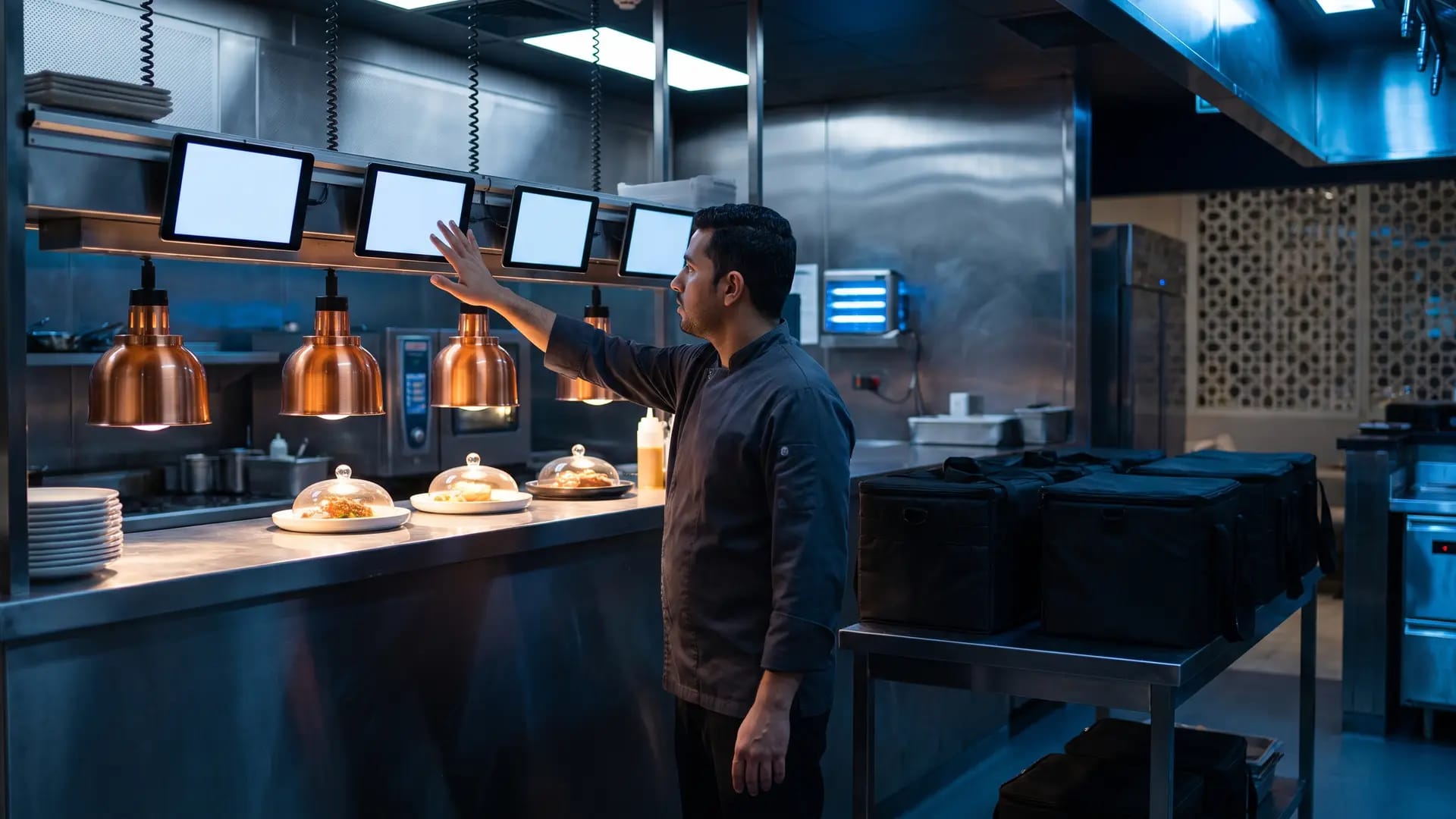
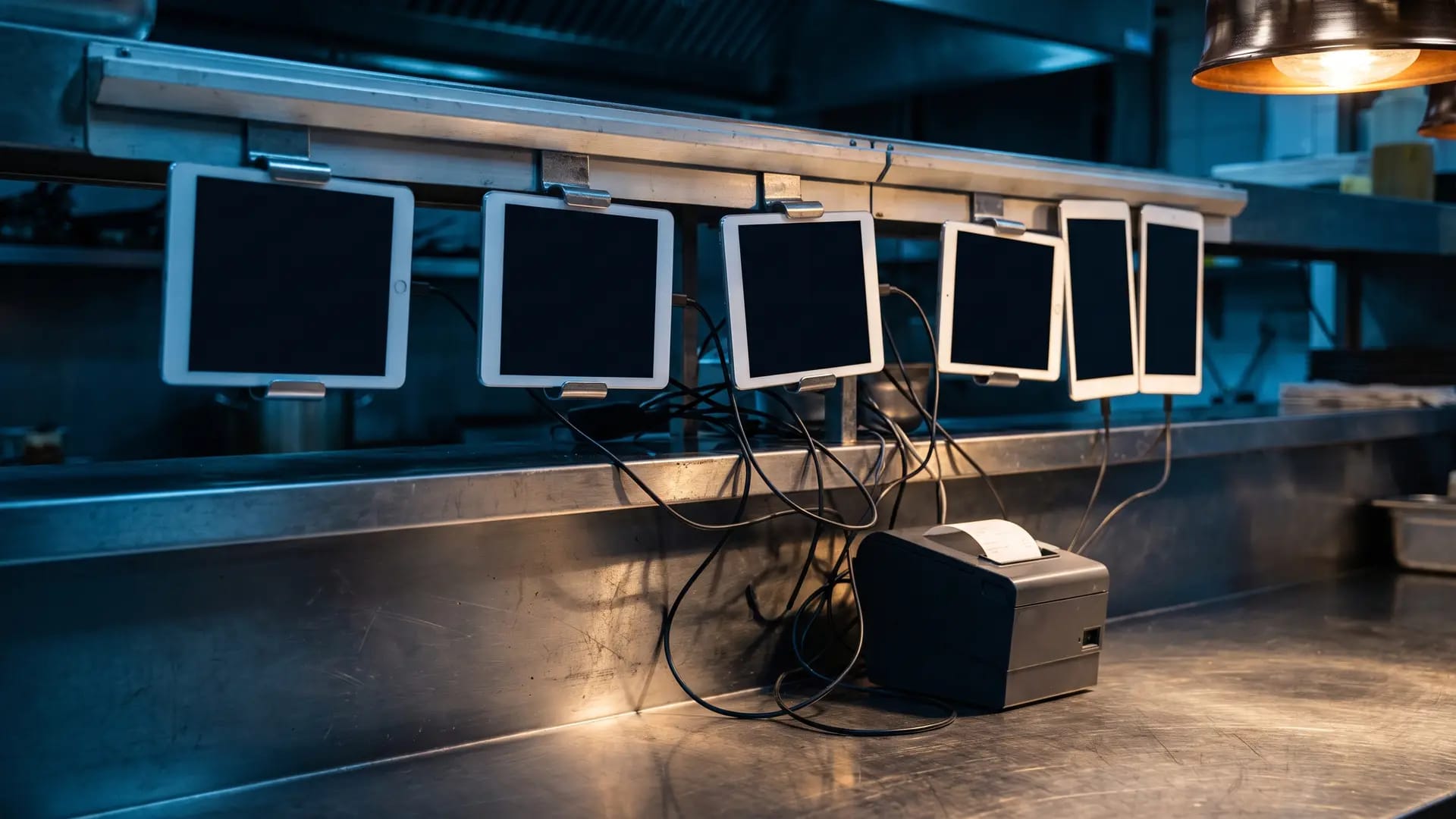
Every argument for a delivery layer starts in the same place: the rail above the pass, and the four to six merchant tablets bolted to it, each one belonging to a different platform.
The default state of a delivery-heavy Saudi restaurant is one tablet per aggregator. Each device chirps on its own schedule, shows orders in its own format, has its own accept button and its own countdown clock, and none of them knows what the others are doing. Somebody on the pass reads an order off a screen and re-punches it into the till so it reaches the kitchen and the accounts. That re-keying step is where the shift goes wrong.
The failure modes are specific and they compound. A modifier gets mistyped and the wrong dish leaves the kitchen. An item runs out at seven in the evening and is switched off on one app but stays live on the other four, so you keep selling something you cannot make and eat the refunds and the rating damage. A price rises on the printed menu and does not rise on three of the platforms for a fortnight. Nobody can answer the question of what delivery actually sold last week without exporting from every dashboard and reconciling by hand. And the stock ledger, if you keep one, quietly stops matching reality.
One caution before the rest of this guide, because it is the mistake we see most often. Consolidating the screens does not consolidate the economics. Commission, promotional co-funding and settlement terms are exactly what they were before the connector went in — we have covered those separately and nothing here changes them. What the delivery layer changes is the number of places a mistake can be made, the speed at which a menu change lands, and whether you can see the whole channel in one report. That is worth real money. It is not a discount.
How Aggregator Orders Reach the Pass
There are two routes an order can take from a delivery app into your Foodics point of sale, and knowing which one each platform uses is the difference between a clean rollout and a surprise.
The first route is a direct app in the marketplace under the Food Aggregator category. When we checked, that category listed Jahez, Careem, Noon Food and The Chefz, and Keeta has its own dedicated setup article in the Foodics help centre. The second route is a middleware connector under the Ordering Platforms Management category, where Foodics lists Blend, Deliverect, FeedUs, FoodiZone, Grubtech, Loops, UrbanPiper and wi-Q Connect. Foodics' own marketing names HungerStation, Talabat, Deliveroo and Noon Food among the platforms it works with, but it does not publish a single table stating which of those connect directly and which arrive through a connector. Treat that as unconfirmed until your reseller states it in writing for your specific branches.
Once an order does arrive, the behaviour is configurable rather than fixed. Foodics documentation describes deciding what happens on a new online order — print it, auto-accept it, or hold it for a human decision — and orders then flow to the point of sale and on to kitchen printers or the kitchen display screen. Branches have to be switched on to receive online orders at device level, through Console, then Manage, then Devices, then edit the device, which can be done for a single device or several at once. It is a small setting with a large failure mode: a branch that was never enabled looks live to the aggregator and silent in the kitchen.
What works
Delivery orders land in the same point of sale as walk-ins, so one sales report finally covers every channel
New-order behaviour is configurable — print, auto-accept or hold — rather than one blunt setting for the whole estate
Status changes travel back outward; UrbanPiper documents accepted, preparing and dispatched flowing from Foodics to the aggregators
Enabling online orders is a device-level setting that can be applied to one device or to several, which makes phased branch rollouts practical
What to watch
A middleware connector is a third party sitting in your order path. If it goes down, orders stop arriving even though both the aggregator and your POS are perfectly healthy
Which platforms route directly and which route through a connector is not published as one authoritative list — confirm per platform and per branch before you budget
Menu and Stock Sync — the Part You Are Actually Buying
Order aggregation is what gets demonstrated. Menu and stock sync is what pays for the subscription, and it is the capability to interrogate hardest.
The clearest published description of what this actually does comes from UrbanPiper's Foodics documentation. Menu changes are pushed from Foodics into UrbanPiper and out to every linked aggregator, covering item and modifier mapping, tax and pricing structure synchronisation, and availability toggling. Item stock updates in Foodics are reflected on the aggregators through the same path. FoodiZone advertises the same model in plainer language — update your menu once and sync the change across all delivery apps — and names HungerStation, Jahez, Keeta, ToYou, Noon, Talabat and Ninja among the platforms it covers, with support stated for Saudi Arabia, Kuwait, Qatar and Bahrain.
Now the caveats, because this is where demos flatter reality. Sync is a push from your system into catalogues the aggregators still own, and platforms differ in which fields they will accept. Photography, long descriptions, platform-specific promotional pricing and category ordering frequently stay manual even when items and prices do not. Aggregator menus are also usually a deliberate subset of your full menu rather than a mirror of it, which means mapping work up front. The one test that matters is not in the sales deck: during a live service, mark a real item out of stock in Foodics and time how long it takes to disappear from every app on your list. If the answer is minutes, the subscription is earning. If the answer is that somebody still has to log into two dashboards, you have bought a smaller problem, not a solved one.
What works
One menu source of truth, with items, modifiers, tax and pricing structures documented as travelling outward to every connected platform
Availability toggling and stock updates propagate from Foodics to the aggregators, which is the single most valuable behaviour during service
Multi-brand and multi-branch estates are explicitly supported by the connectors, so a virtual brand does not need its own parallel admin
What to watch
Field coverage varies by platform and is rarely published — assume images, descriptions and promo pricing may stay manual until proven otherwise
The aggregator still owns its catalogue, so a platform-side change can silently diverge from your Foodics menu between syncs
Initial item and modifier mapping is real project work, and it is the step resellers most often leave out of an implementation quote
Own Delivery: Drivers, Zones and the Driver App
Aggregators are a demand channel you rent. Your own drivers are a margin channel you own — and in Foodics they are a different subscription with a different answer on price.
Foodics documentation is unusually direct here. To let a cashier assign a driver to an order, you must be subscribed to the delivery management system module on your account. You then add a driver role in the Foodics Console and create users against it, and those users sign in to the Foodics Driver app using their phone number as the username. The driver app is published on both the App Store and the Play Store, which is worth noting given the cashier application remains an iPad product — your riders are not locked to Apple hardware even though your tills are.
Around that sit delivery zones, which define the service area of each branch, can carry optional coordinates, and can be assigned to multiple branches and to customer addresses. Foodics Online extends the same idea to a first-party channel: a web store on a unique URL or your own branded domain, native iOS and Android apps that Foodics quotes at three to four weeks to deploy, Arabic and English interfaces, QR and scheduled ordering, in-house driver fleet management with location tracking, and real-time order status with push notifications to the customer. That last part is the strategic argument for own delivery in one line — the aggregator will never give you the customer, and this is the only channel on the list where you keep them.
What works
Driver assignment happens inside the cashier application your staff already use, not in a separate dispatch console nobody watches
Delivery zones are defined once per branch and reused against customer addresses, which keeps out-of-area orders from reaching the kitchen
The driver app ships on both iOS and Android, so rider hardware is not constrained the way the iPad-only cashier app is
What to watch
The delivery management module does not appear as a priced line on the public pricing page, so you cannot budget it without a quote
What is documented is assignment, not logistics. We found no published evidence of route batching, automatic allocation or driver-level optimisation
The marketplace carries a whole Delivery Management category — Abovv, Armada Delivery Solutions, Cervo, Fleet Run, Leajlak, Mrsool, Roboost, Slider and WiDeliver among them — which exists precisely because the native layer stops where it stops
Setup: What Connecting One Aggregator Actually Involves
Resellers describe this as switching on an app. Foodics' own published setup guide for Keeta describes something closer to a configuration project, and because it is public it is the most honest available preview of what every other connection will cost you in time.
01
Have the platform account first
The integration assumes a live Keeta merchant account already exists. If it does not, registration with the platform happens before anything in Foodics does, and that is a commercial process on their timeline rather than yours.
02
Activate as the owner, not the manager
Activation is performed from the Foodics Console signed in with the owner's email address. This trips up estates where day-to-day administration sits with a branch manager who does not hold the owner credential.
03
Build a dedicated menu group
You create a menu group named for the platform and add every item you want listed on it. This is the step that confirms an aggregator menu is a deliberate subset of your full menu, and it is where the real thinking about delivery-appropriate items happens.
04
Create the charges, exactly
Three charges have to be created and applied to delivery and pickup order types across all branches, with a tax group assigned where required. Foodics is blunt about this: the charge name must be copied exactly, or the integration will not work properly. It is a string match, and a typo fails silently.
05
Register every branch with the platform
You contact the platform's operations team to register each outlet for integration. This step sits entirely outside Foodics, depends on somebody else's response time, and is where multi-branch rollouts consistently stall.
That is one platform. Multiply it by the four or five you intend to run, add the item and modifier mapping from the previous section, and the honest estimate for a multi-branch group is weeks rather than an afternoon. None of this is a criticism of the product — a string-exact charge name is how you get accurate tax treatment on a delivery order — but it is a very different exercise from the one the word integration implies.
Two questions to settle before you sign anything. Who performs this work, you or the reseller, and is it included or billed? And what is the one-time setup fee, if any, on the connector side — Deliverect's own material confirms the Foodics integration requires a subscription to both Foodics and Deliverect, and third-party listings describe its commercial model as a subscription plus a one-time setup fee without publishing figures. Get both numbers in the quote rather than in the conversation.
Where the Delivery Layer Falls Short
This is a capable stack and we would still put it at the centre of a delivery-heavy Saudi restaurant. These are the six things that should slow the purchase down.
01
You are buying a product with no published name
Dash is not a name Foodics uses. That matters practically, not pedantically: you cannot compare quotes, check documentation or raise a support ticket against a product name that does not exist in the vendor's own catalogue. Insist on the real module names before money moves.
02
The delivery module has no published price
Bundle prices are on the pricing page. The delivery management system module that unlocks driver assignment is not priced there, and neither is any per-branch or per-connector add-on. That is a transparency gap in a market where transparency is already scarce, and it makes an honest cost comparison against a rival stack impossible without two quotes in hand.
03
A third party sits in your order path
When orders arrive through a connector, that connector becomes a dependency with its own uptime, its own support queue and its own contract. Both aggregator and POS can be perfectly healthy while orders stop. Ask what the fallback procedure is and make sure a manager on the floor knows it before you need it.
04
Aggregator coverage is not published as one list
Foodics names platforms across its marketing, its marketplace and its help centre, but not in a single authoritative table stating what connects directly, what needs middleware and what is available in Saudi Arabia specifically. Get the routing confirmed per platform, in writing, for your branches.
05
Dispatch is assignment, not logistics
The documented capability is assigning a driver to an order and tracking them. If you run twenty riders across three branches and need batching, zone balancing or automated allocation, plan on a dedicated fleet app from the marketplace and budget for a second subscription.
06
None of this touches your take rate
The single most common misreading of this category is that consolidating aggregator orders improves delivery margin. It does not. Commission, promotional co-funding and settlement terms are untouched. What improves is error rate, menu accuracy and reporting — worth having, but a different line on the profit and loss.
Licensing: What Is Published and What Is Not
Foodics publishes bundle prices, which is more than most vendors in this market manage. It does not publish what the delivery pieces cost on top, and we are not going to invent numbers to fill that gap. Here is the published structure, filtered to the lines that matter for delivery.
Bundle
Monthly (SAR)
Annual (SAR/month)
Delivery-relevant inclusions
QSR & Cafes Starter
423
392
POS, basic marketplace, menu management, KDS, customer display
QSR & Cafes Basic
801
742
Adds inventory and web ordering to the Starter feature set
Adds KDS, web and app creation, aggregator connectors (Deliverect, UrbanPiper, Grubtech, FeedUs)
Read that table with the delivery question in mind and one line does most of the work. The cloud kitchen configuration is where Foodics puts the delivery language — zones and food delivery integration on Basic, the named aggregator connectors on Advanced. If delivery is the majority of your revenue, that is the shape of the licence you are being sold, whether or not your business has a dining room.
Now the honest list of what is not published. There is no price on the delivery management system module that enables driver assignment. There is no published per-platform or per-branch connector fee. Deliverect states that the Foodics integration requires an active subscription to both products but publishes no figures, and third-party software directories describe its model as a monthly or annual subscription plus a one-time setup fee without naming an amount. FoodiZone publishes nothing at all on price. Anybody quoting you a confident SAR figure for the delivery layer is quoting a deal, not a rate card, and it will not be the same number your neighbour gets.
So model it properly. Ask for one itemised quote covering the Foodics bundle, the delivery management module, each connector subscription, any one-time setup or implementation fee, and the per-branch cost of adding your sixth location later. Ask which currency and billing term each line uses, because annual billing is where the published discount lives. Then ask for the same five lines from one competing stack. Two itemised quotes tell you more about this market than any comparison article, including this one.
The Middleware Layer: Who Else Does This Job
The connector is a genuine choice, not a formality, and in many Saudi deployments the reseller picks it for you. These are the realistic options with what each one actually publishes, and where a vendor publishes nothing we have said so rather than guessed.
Option
What It Is
Platforms Named
Published Sync
Pricing
Foodics direct apps
Native marketplace integrations, no third party in the path
Jahez, Careem, Noon Food, The Chefz; Keeta documented separately
Orders to POS and KDS; menu group per platform
Inside the bundle; module add-ons not published
Deliverect
Global order and menu middleware, deep Foodics documentation
Not published for the Middle East pairing
Two-way; online menus synced directly from Foodics POS
Not published; requires both subscriptions
FoodiZone
Gulf-focused connector built around Saudi aggregators
One menu across all apps; orders to POS, printers and KDS
Not published
UrbanPiper
Order management middleware with the most explicit Foodics docs
Talabat, Careem, Zomato
Items, modifiers, tax, pricing, availability; status back to apps
Not published
Deliverect
The largest independent player in this category and the one with the most mature Foodics documentation, describing a two-way connection where online menus are synced directly from the Foodics point of sale and orders from connected channels are aggregated back into it.
The safe institutional choice for a group operating outside the Gulf as well as inside it, but confirm which Saudi platforms it actually carries for your branches — its Foodics page does not name them.
FoodiZone
A Gulf-focused connector that names exactly the platforms a Saudi restaurant cares about — HungerStation, Jahez, Keeta, ToYou, Noon, Talabat and Ninja — and sells the one-menu proposition directly, with orders pushed into the Foodics POS and on to kitchen printers or screens.
The most specific fit for a Saudi-only operator on the strength of its named platform list, which is the single thing most connectors will not commit to in public.
UrbanPiper
The connector with the clearest published account of what actually synchronises: item and modifier mapping, tax and pricing structures, availability toggling and stock updates flowing out of Foodics, with order statuses such as accepted, preparing and dispatched flowing back to the aggregators.
Worth a shortlist place for the documentation alone, but the platforms it names for Foodics are Talabat, Careem and Zomato — verify Saudi coverage before assuming it fits.
Our Verdict
Our Verdict on the Foodics Delivery Layer
Judged as what it actually is rather than as the product name people search for, this is a solid, well-documented delivery stack with one serious commercial blind spot. If you already run Foodics and more than a third of your revenue arrives through delivery apps, connecting it is not a close call. What you should refuse to do is buy it blind.
Strongest dimension
Order Consolidation4.6 / 5
Aggregator orders land in the same point of sale as walk-ins and route on to printers or the kitchen display, with configurable print, auto-accept or hold behaviour. This is the problem the category exists to solve and it is solved properly.
What you pay for
Menu & Stock Sync4.4 / 5
Items, modifiers, tax and pricing structures and availability toggles are documented as travelling outward to every connected platform. Marked down only because field coverage differs by aggregator and almost nobody publishes the exceptions.
Own delivery
Dispatch & Driver App3.4 / 5
Assignment from the cashier, per-branch zones and a driver app on both mobile platforms cover the basics well. There is no published evidence of batching, routing or automatic allocation, which is why the marketplace carries nine fleet apps.
Weakest dimension
Pricing Transparency2.6 / 5
Bundles are published and that deserves credit. The delivery management module, the connector subscriptions and the setup fees are not, and neither Deliverect nor FoodiZone fills the gap. You cannot cost this stack without a quote.
Connect it if you are running Foodics, listing on three or more aggregators, and currently re-punching orders from tablets into a till — the error reduction and the single sales report will justify the licence quickly. Think harder if delivery is a small share of covers, because you will be adding a subscription and a dependency to solve a problem you could still solve with discipline. And whichever way you go, do two things before signing: run a live 86 test during service to see how fast an out-of-stock item actually disappears from every app, and get one itemised quote covering the bundle, the delivery module, every connector and every setup fee. The product is good. The pricing opacity is the part you have to manage.
Frequently Asked Questions
01Is there actually a Foodics product called Dash?
Not one that Foodics publishes. We checked the app marketplace, which organises its catalogue into fourteen named categories, the product tour, which names Point of Sale, Pay at Table, Customer Display Screen, Foodics Pay, Self Ordering, Waiter App, Online, Kitchen Display Screen, Foodics Accounting, Foodics One and Business Intelligence, plus the pricing page and the public help centre. Nothing is called Dash. The term is used informally to describe the delivery layer: aggregator integrations, order aggregation into the POS and kitchen display, menu and stock sync outward, and the delivery management module that enables driver assignment. If a reseller quotes you for Dash, ask which of those modules the quote covers.
02Which delivery apps does Foodics connect to in Saudi Arabia?
The Food Aggregator category of the Foodics marketplace listed Jahez, Careem, Noon Food and The Chefz when we checked, and Keeta has its own setup guide in the Foodics help centre. Foodics marketing also names HungerStation, Talabat and Deliveroo among the platforms it works with. What Foodics does not publish is a single table stating which of those connect directly and which arrive through a middleware connector, so treat the routing for any specific platform as unconfirmed until your reseller states it in writing. In practice, connectors such as FoodiZone, Deliverect, FeedUs, Grubtech and UrbanPiper are how most Saudi restaurants reach the full set — FoodiZone, for instance, names HungerStation, Jahez, Keeta, ToYou, Noon, Talabat and Ninja explicitly.
03How much does Foodics delivery management cost?
Foodics does not publish a price for it, and we will not invent one. What is published on the pricing page is the bundle structure: QSR and Cafes Starter at SAR 423 monthly or SAR 392 per month billed annually, Basic at SAR 801 or SAR 742, and Advanced at SAR 1,224 or SAR 1,133; Cloud Kitchen Basic at SAR 612 or SAR 567, which includes delivery zones and food delivery integration, and Cloud Kitchen Advanced at SAR 936 or SAR 867, which adds the named aggregator connectors. The delivery management system module that unlocks driver assignment does not appear as a priced line anywhere, and the connectors bill separately without published rates. Ask for an itemised quote covering the bundle, the module, each connector and any one-time setup fee.
04Can Foodics manage my own delivery drivers?
Yes, within limits. Foodics documentation states that enabling a cashier to assign drivers to orders requires a subscription to the delivery management system module on your account. You then create a driver role in the Foodics Console, add users to it, and those users sign in to the Foodics Driver app with their phone number as the username; the app is available on both the App Store and the Play Store. Delivery zones define each branch's service area and can be assigned to branches and customer addresses, and Foodics Online adds in-house fleet management with location tracking plus customer-facing order status and push notifications. What is documented is assignment and tracking rather than route optimisation or automatic allocation, which is why the marketplace also carries a Delivery Management category of dedicated fleet apps.
05If I use Foodics, do I still need Deliverect or FoodiZone?
It depends entirely on which platforms you list on. If every aggregator you use has a direct app in the Foodics marketplace, you do not need a connector. If any of them do not — and for most Saudi restaurants running a full spread of platforms, some will not — then a connector is how you avoid putting a separate tablet back on the pass. Deliverect states that its Foodics integration requires an active subscription to both products, so it is an additional cost rather than an alternative to your Foodics licence, and the same applies to FoodiZone and UrbanPiper. The decision is not Foodics versus connector; it is which connector covers your specific platform list at a price you can get in writing.
Share this article:
Never Pick the
Wrong Tool Again.
Get weekly expert recommendations, honest comparisons, and exclusive guides — tailored for the Middle East market.