
Odoo ZATCA Compliance 2026: The Complete Setup Guide for Saudi SMEs
This article may contain affiliate links. If you purchase through these links, we may earn a commission at no extra cost to you. This helps support our independent reviews.
Key Takeaways
- ZATCA Phase 2 (Integration Phase) requires all Saudi businesses to generate cryptographically stamped e-invoices with QR codes and report them to ZATCA servers in near real-time.
- Odoo Community Edition does NOT support ZATCA Phase 2 natively — you need either Odoo Enterprise, a third-party module (SAR 3,000–8,000), or a custom integration.
- Odoo Enterprise 17+ includes a built-in Saudi Arabia localization package with ZATCA Phase 2 support, VAT 15% configuration, and Arabic invoice templates.
- Non-compliance penalties start at SAR 5,000 per non-compliant invoice and can escalate to SAR 50,000 for repeated violations. ZATCA is actively expanding enforcement waves.
- For SMEs with under 50 employees, Odoo Enterprise offers the best cost-to-feature ratio for ZATCA compliance compared to SAP Business One and Zoho Books.
What Is ZATCA Phase 2 and Why Should Saudi SMEs Care?
ZATCA Phase 2 is not optional. It is a legal mandate that requires every Saudi business to generate, stamp, and report electronic invoices to ZATCA servers in near real-time. If your ERP cannot do this, you face fines starting at SAR 5,000 per invoice.
The Zakat, Tax and Customs Authority (ZATCA) rolled out e-invoicing in two phases. Phase 1 (Generation Phase), which went live on December 4, 2021, required all VAT-registered taxpayers to generate and store electronic invoices instead of paper ones. Most businesses handled this with basic PDF generation or simple accounting software upgrades.
Phase 2 (Integration Phase) is fundamentally different. Starting January 1, 2023, ZATCA began rolling out Phase 2 in waves, requiring businesses to integrate their invoicing systems directly with the ZATCA Fatoorah platform. Each invoice must contain a cryptographic stamp, a UUID, a QR code with embedded digital signature data, and be reported to ZATCA servers in near real-time — within 24 hours for simplified invoices (B2C) and in real-time for standard invoices (B2B).
The enforcement waves continue through 2026 and beyond. ZATCA is progressively adding taxpayer groups based on annual revenue thresholds. If you have not yet been onboarded, your wave is coming. The question is not if, but when — and whether your ERP system will be ready.
500,000+
Taxpayers Covered by Phase 2
SAR 5,000
Minimum Fine Per Non-Compliant Invoice
13+
Enforcement Waves Rolled Out
June 2026
Next Major Wave for SMEs
What Makes an Invoice ZATCA Phase 2 Compliant?
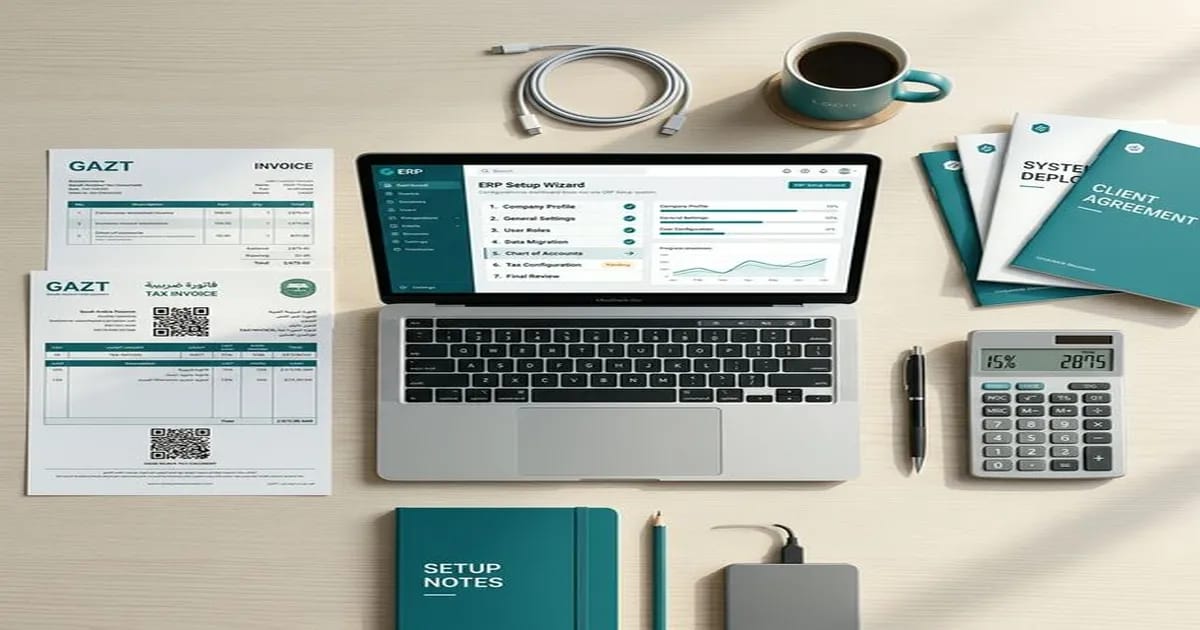
Before configuring any ERP system, you need to understand exactly what ZATCA Phase 2 requires at the technical level. Compliance is not just about adding a QR code — it involves cryptographic operations that most basic accounting tools cannot perform.
XML Invoice Format
All invoices must be generated in UBL 2.1 XML format following ZATCA's specific schema (not PDF, not JSON). The XML contains structured data fields for seller, buyer, line items, VAT calculations, and digital signatures.
Cryptographic Stamping
Each invoice must be digitally signed using a Certificate Signing Request (CSR) generated from your ERP and approved by ZATCA. The cryptographic stamp proves the invoice was generated by an authorized system.
TLV-Encoded QR Code
Every invoice must include a QR code containing Tag-Length-Value (TLV) encoded data: seller name, VAT number, timestamp, total amount, VAT amount, and the invoice hash. This is not a simple URL QR code.
Universal Unique Identifier
Each invoice receives a UUID for tamper-proof audit trails. The UUID, combined with the invoice counter and previous invoice hash, creates a chain that makes retroactive modification detectable.
Real-Time API Reporting
Standard (B2B) invoices must be cleared by ZATCA before being sent to the buyer. Simplified (B2C) invoices must be reported within 24 hours. Both require API integration with the ZATCA Fatoorah platform.
Arabic Invoice Content
Invoices must contain specific mandatory fields in Arabic, including seller and buyer names, descriptions, and the ZATCA compliance statement. Bilingual invoices (Arabic + English) are allowed.
These requirements mean that a simple accounting tool generating PDF invoices is not sufficient. Your ERP must be capable of XML generation, cryptographic operations, API communication with ZATCA servers, and proper Arabic content handling — all in real-time during the invoicing workflow.
Odoo Community vs Enterprise: Which Edition Supports ZATCA?
This is the most important decision for Saudi SMEs using Odoo. The two editions have fundamentally different capabilities when it comes to ZATCA compliance, and choosing the wrong one will cost you more in the long run.

Odoo Community Edition (Free)
Odoo Community is the free, open-source edition. It includes basic accounting, invoicing, and inventory modules. However, it does NOT include the Saudi Arabia localization package needed for ZATCA Phase 2 compliance out of the box.
- No built-in ZATCA Phase 2 integration — no XML generation, no cryptographic stamping, no API connection to Fatoorah
- No Saudi chart of accounts or pre-configured VAT 15% tax groups
- No Arabic invoice templates that meet ZATCA's mandatory field requirements
- Requires a third-party ZATCA module (SAR 3,000–8,000 one-time + SAR 500–1,500/year maintenance) or custom development (SAR 15,000–40,000)
Odoo Enterprise Edition (Paid)
Odoo Enterprise is the paid edition that includes the full Saudi Arabia localization package. Starting from Odoo 17, ZATCA Phase 2 support is built in — including XML generation, cryptographic stamping, QR codes, and API integration with the Fatoorah platform.
- Built-in ZATCA Phase 2 integration with automatic XML invoice generation in UBL 2.1 format
- Cryptographic stamping with CSR generation and ZATCA certificate management
- Pre-configured Saudi chart of accounts, VAT 15% tax groups, and withholding tax configurations
- Arabic invoice templates meeting all ZATCA mandatory field requirements
- Real-time API integration with ZATCA Fatoorah platform for clearance (B2B) and reporting (B2C)
| Feature | Community (Free) | Enterprise (Paid) |
|---|---|---|
| ZATCA Phase 2 | Not included | Built-in (v17+) |
| UBL 2.1 XML Invoices | Not included | Automatic generation |
| Cryptographic Stamping | Not included | CSR + certificate management |
| TLV QR Codes | Not included | Auto-generated per invoice |
| ZATCA API Integration | Not included | Real-time clearance + reporting |
| Saudi Chart of Accounts | Manual setup required | Pre-configured |
| VAT 15% Configuration | Manual setup required | Pre-configured tax groups |
| Arabic Invoice Templates | Basic (non-compliant) | ZATCA-compliant templates |
| Pricing | Free (open-source) | $31.10/user/month (annual) |
Bottom line: If you are a Saudi business that needs ZATCA Phase 2 compliance, Odoo Enterprise is the practical choice. While Community is free, the cost of adding ZATCA compliance through third-party modules or custom development typically exceeds the Enterprise subscription cost within the first year.
Step-by-Step: Setting Up Odoo Enterprise for ZATCA Phase 2
This section walks you through the complete setup process for configuring Odoo Enterprise 17+ for ZATCA Phase 2 compliance. Each step includes the exact navigation path and settings you need to configure.
Step 1 — Install the Saudi Arabia Localization
Go to Settings → General Settings → Fiscal Localization. Select 'Saudi Arabia' from the country picker. Odoo will automatically install the l10n_sa module, which includes the Saudi chart of accounts, VAT tax groups (15% standard, 0% zero-rated, exempt), and Arabic invoice layouts.
After installation, verify by going to Accounting → Configuration → Chart of Accounts. You should see account codes following the Saudi standard numbering (1xxx for assets, 2xxx for liabilities, 4xxx for revenue, 5xxx for expenses).
Step 2 — Configure Your Company Information
Go to Settings → Companies → Your Company. Fill in all fields that ZATCA requires on every invoice. These are mandatory — missing any field will cause ZATCA rejection.
- Company Name (Arabic and English) — must match your Commercial Registration exactly
- VAT Registration Number (TIN) — your 15-digit ZATCA-issued tax identification number
- Commercial Registration (CR) Number — issued by the Ministry of Commerce
- Full Address including Building Number, Street, District, City, Postal Code, and Country — all required by ZATCA schema
Step 3 — Generate and Register Your CSR with ZATCA
This is the most critical step. Go to Accounting → Configuration → ZATCA E-Invoicing. Click 'Generate CSR' (Certificate Signing Request). Odoo will generate a CSR that you need to submit to ZATCA through the Fatoorah portal.
Log in to the ZATCA Fatoorah portal (fatoorah.zatca.gov.sa), navigate to E-Invoicing → Onboarding, and upload your CSR. ZATCA will validate it and return a compliance certificate. Download this certificate and upload it back into Odoo under Settings → ZATCA E-Invoicing → Production Certificate.
Important: The CSR ties your Odoo instance to your ZATCA account. If you change ERP systems or reinstall Odoo, you will need to generate a new CSR and re-register with ZATCA.
Step 4 — Configure Tax Groups and VAT Rates
Go to Accounting → Configuration → Taxes. The Saudi localization pre-creates the following tax groups, but verify that all are correctly configured for your business:
- Standard Rate (15%) — applies to most goods and services sold in Saudi Arabia
- Zero-Rated (0%) — for exports, international transport, and qualifying medicines
- Exempt — for financial services, residential property rental, and qualifying insurance
- Out of Scope — for transactions outside the Saudi VAT system (e.g., salary payments)
For each tax, ensure the 'Tax Group' field is correctly set. ZATCA uses tax category codes (S for standard, Z for zero-rated, E for exempt, O for out of scope) in the XML invoice. Incorrect mapping will cause clearance rejection.
Step 5 — Set Up Invoice Numbering Sequences
Go to Accounting → Configuration → Journals → Customer Invoices. Configure the invoice sequence to use a format that meets ZATCA requirements. ZATCA requires sequential numbering with no gaps — skipped invoice numbers trigger audit flags.
Recommended format: INV/2026/00001. Enable 'No Gaps' in the sequence settings. Odoo handles the invoice counter value (ICV) automatically, which is part of the cryptographic hash chain that ZATCA validates.
Step 6 — Test with ZATCA Sandbox
Before going live, configure Odoo to connect to the ZATCA sandbox environment. Go to Settings → ZATCA E-Invoicing → Environment and select 'Sandbox'. Create a test invoice and submit it. The sandbox will return validation results showing whether your XML format, cryptographic stamp, and QR code are compliant.
Common sandbox errors to watch for: missing buyer VAT number on B2B invoices, incorrect tax category codes, malformed Arabic text fields, and CSR certificate mismatches. Fix all errors before switching to production.
Step 7 — Switch to Production and Go Live
Once all sandbox tests pass, switch the environment to 'Production' under Settings → ZATCA E-Invoicing → Environment. Upload your production CSID (Compliance Stamp Identifier Document) from ZATCA.
From this point, every invoice you create in Odoo will be automatically stamped, QR-coded, and reported to ZATCA. Standard (B2B) invoices are cleared in real-time before being sent to the buyer. Simplified (B2C) invoices are reported in batch within 24 hours.
Try Odoo Enterprise for ZATCA Compliance
Built-in Saudi localization with ZATCA Phase 2, Arabic invoicing, and VAT 15% pre-configured.
Start Free TrialSetting Up Odoo Community for ZATCA (The Third-Party Route)
If you are committed to Odoo Community Edition and cannot switch to Enterprise, ZATCA compliance is still achievable — but it requires a third-party module or custom development. Here are your realistic options.
The Odoo Apps Store (apps.odoo.com) has several ZATCA Phase 2 modules built by third-party developers. Quality and pricing vary significantly. Based on our testing, here are the most established options:
| Module | Developer | Price (One-Time) | Rating | Ongoing Support |
|---|---|---|---|---|
| KSA ZATCA E-Invoice | JESR (jogroup.com) | SAR 5,400 (~$1,440) | 4.5/5 | SAR 1,200/year |
| Saudi Arabia ZATCA Phase 2 | Jesr for IT | SAR 3,750 (~$1,000) | 4.3/5 | SAR 800/year |
| ZATCA Fatoorah Integration | IT Land Solutions | SAR 6,000 (~$1,600) | 4.4/5 | SAR 1,500/year |
Important considerations when using third-party modules: version compatibility is critical — a module built for Odoo 16 may not work on Odoo 17 without updates. Ensure the developer actively maintains the module and provides timely updates when ZATCA changes its specifications (which has happened 3 times since Phase 2 launch).
The custom development route (hiring a developer to build ZATCA integration from scratch) typically costs SAR 15,000–40,000 and takes 4–8 weeks. This only makes sense if you have unique invoicing workflows that no existing module supports, or if you have in-house Python developers who can maintain the code long-term.
Cost reality check: A third-party ZATCA module for Odoo Community costs SAR 3,750–6,000 upfront plus SAR 800–1,500/year in support. Odoo Enterprise for 3 users costs approximately SAR 4,200/year ($31.10 × 3 users × 12 months ÷ 3.75 exchange rate). Within 2 years, Enterprise is cheaper and you get official support, automatic updates, and access to all Enterprise features — not just ZATCA.
ZATCA Penalties: What Happens If You Don't Comply
ZATCA is not just issuing guidelines — they are actively enforcing compliance with financial penalties. Understanding the penalty structure helps you calculate the real cost of non-compliance versus investing in proper ERP configuration.
First Violation
Warning plus SAR 5,000 fine per non-compliant invoice. This applies the first time ZATCA identifies that your invoices do not meet Phase 2 requirements — missing QR codes, incorrect XML format, or failure to report.
Repeated Violations
Escalating fines for continued non-compliance. ZATCA treats each non-compliant invoice as a separate violation. A business issuing 100 invoices per month without compliance faces potential exposure of SAR 500,000–5,000,000.
Failure to Maintain Records
Separate fine for not maintaining electronic records of all invoices for the mandated retention period. ZATCA requires at least 6 years of invoice records in the compliant XML format.
Tampering or Manipulation
The most severe penalties are reserved for invoice tampering — modifying invoices after cryptographic stamping, backdating, or generating invoices outside of a registered e-invoicing system. These can also trigger criminal proceedings.
ZATCA has significantly increased its enforcement activity in 2025–2026. The authority conducted over 15,000 field inspections in 2025 alone, resulting in SAR 180 million in penalties for e-invoicing violations. Smaller businesses are not exempt — ZATCA is using automated systems to detect non-compliant invoices submitted by buyers who received them from non-compliant sellers.
Do the math: If your business issues 200 invoices per month and each non-compliant invoice carries a SAR 5,000 minimum penalty, your monthly exposure is SAR 1,000,000. An Odoo Enterprise subscription for 5 users costs approximately SAR 7,000/year. Compliance is not a cost — it is insurance.
Odoo vs SAP vs Zoho: ZATCA Compliance Compared
Odoo is not the only ERP option for Saudi businesses. SAP Business One and Zoho Books are the two most common alternatives. Here is how they compare specifically on ZATCA Phase 2 compliance for Saudi SMEs.
| Feature | Odoo Enterprise | SAP Business One | Zoho Books |
|---|---|---|---|
| ZATCA Phase 2 | Built-in (v17+) | Built-in (add-on) | Built-in |
| UBL 2.1 XML | Native generation | Native generation | Native generation |
| Cryptographic Stamping | Built-in CSR management | Built-in CSR management | Managed by Zoho |
| ZATCA API Integration | Real-time clearance | Real-time clearance | Real-time clearance |
| Inventory Management | Full (multi-warehouse) | Full (advanced) | Basic |
| Manufacturing (MRP) | Full module | Full module | Not available |
| Customization | Open-source (Python) | SDK (limited) | Low-code (Deluge) |
| Starting Price | $31.10/user/month | ~$100/user/month | $20/org/month |
| Implementation Time | 2–6 weeks | 3–6 months | 1–2 weeks |
Each platform serves a different segment. Zoho Books is the fastest to deploy and cheapest but lacks advanced inventory and manufacturing modules — it is best for service businesses and small traders. SAP Business One is the most powerful but costs 3–10x more and takes months to implement — it is designed for mid-market companies with complex supply chains.
Odoo Enterprise occupies the middle ground: it offers manufacturing, multi-warehouse inventory, and deep customization (it is open-source Python) at a price point accessible to SMEs. For Saudi businesses with 5–50 employees that need more than basic accounting but cannot justify SAP's cost and timeline, Odoo is the strongest option.
Our recommendation for Saudi SMEs: If you only need invoicing and basic accounting with ZATCA compliance, Zoho Books gets you there fastest at the lowest cost. If you need inventory, manufacturing, HR, or custom workflows alongside ZATCA compliance, Odoo Enterprise provides the best value. If you are a mid-market company with 100+ employees and complex multi-entity operations, SAP Business One is worth the investment.
Common ZATCA Setup Mistakes (and How to Avoid Them)
Based on our testing and conversations with Saudi Odoo implementers, these are the most common mistakes that cause ZATCA rejection or compliance failures.
Mismatched Company Data
Your company name, VAT number, and CR number in Odoo must exactly match what ZATCA has on file. Even a minor discrepancy — an extra space, different Arabic spelling, or missing building number — will cause invoice rejection. Double-check against your ZATCA portal profile before going live.
Wrong Tax Category Mapping
ZATCA uses specific tax category codes (S, Z, E, O) in the XML schema. If your Odoo tax groups are mapped to the wrong category — for example, a zero-rated export mapped as 'Exempt' instead of 'Zero-Rated' — the invoice will be rejected. Verify each tax group's ZATCA category code individually.
Skipping the Sandbox
Going directly to production without testing in the ZATCA sandbox is the most expensive mistake you can make. Every rejected production invoice generates a non-compliance record with ZATCA. Use the sandbox to catch XML formatting errors, certificate issues, and tax mapping problems before they become penalty-eligible violations.
Not Handling Credit Notes Correctly
ZATCA requires credit notes (refunds) and debit notes (corrections) to follow the same e-invoicing rules as regular invoices. They must reference the original invoice UUID and be reported to ZATCA. Many businesses generate refunds outside their ERP system — this creates non-compliant invoices and breaks the hash chain.
Ignoring Multi-Branch Configuration
If your business has multiple branches or legal entities, each one needs its own CSR and ZATCA registration. A single CSR cannot cover multiple commercial registrations. Configure each branch as a separate company in Odoo with its own ZATCA integration settings.
The common thread across all these mistakes is rushing the setup. ZATCA compliance is a technical integration, not a checkbox. Budget 2–4 weeks for proper configuration, sandbox testing, and going live — even if the actual Odoo setup takes only a few days.
Odoo ZATCA Pricing: What It Actually Costs
Understanding the total cost of Odoo ZATCA compliance requires looking beyond the subscription price. Here is a realistic breakdown for businesses of different sizes.
| Scenario | Users | Odoo Annual Cost | Implementation | Total Year 1 |
|---|---|---|---|---|
| Micro Business | 1–3 users | SAR 4,200–12,600/yr | SAR 5,000–10,000 | SAR 9,200–22,600 |
| Small Business | 5–10 users | SAR 21,000–42,000/yr | SAR 15,000–30,000 | SAR 36,000–72,000 |
| Medium Business | 15–30 users | SAR 63,000–126,000/yr | SAR 30,000–80,000 | SAR 93,000–206,000 |
Implementation costs cover initial setup, data migration from your existing system, employee training, and go-live support. Self-implementation (following this guide) can reduce the implementation portion to near-zero for micro businesses, but we recommend professional implementation for businesses with more than 5 users or complex workflows.
These costs should be compared against the alternative: SAR 5,000+ per non-compliant invoice, the ongoing cost of manual invoice generation, and the operational risk of ZATCA penalties. For most Saudi SMEs, the ROI on proper ERP-based ZATCA compliance is achieved within the first quarter of operation.
Cost-saving tip: Odoo offers a free trial and the Enterprise pricing includes hosting on Odoo's cloud (Odoo Online). You do not need to budget for separate server hosting unless you choose the self-hosted (Odoo.sh or on-premise) deployment option.
Who Should Use Odoo for ZATCA Compliance?
Odoo is not the right choice for every Saudi business. Here is an honest assessment of which business profiles benefit most from choosing Odoo versus alternatives.
Saudi SMEs (5–50 Employees)
Odoo Enterprise offers the best cost-to-feature ratio for small and medium businesses. You get ZATCA compliance, inventory, HR, CRM, and project management in one platform — without the SAP price tag or the Zoho feature limitations.
Manufacturing & Distribution
If your business involves production, bill of materials, quality control, or multi-warehouse management alongside invoicing, Odoo's manufacturing module combined with ZATCA compliance eliminates the need for separate systems.
Multi-Branch Operations
Businesses with multiple commercial registrations (e.g., wholesale and retail entities) can manage each branch's ZATCA compliance independently within a single Odoo instance using the multi-company feature.
Existing Odoo Community Users
If you already run Odoo Community for operations and need to add ZATCA compliance, upgrading to Enterprise is the most cost-effective path. Your existing data, workflows, and customizations migrate directly — no re-implementation needed.
Odoo is NOT the best choice for: solo entrepreneurs who only need basic invoicing (use Zoho Books instead), businesses already on SAP with working ZATCA integration (switching is not worth the disruption), or companies with fewer than 5 invoices per month (manual compliance through the ZATCA portal may be sufficient).
Frequently Asked Questions
01Does Odoo Community Edition support ZATCA Phase 2?
Not out of the box. Odoo Community does not include the Saudi Arabia localization package or ZATCA Phase 2 integration. You need either a third-party module from the Odoo Apps Store (SAR 3,750–6,000 one-time) or custom development. Odoo Enterprise 17+ includes full ZATCA Phase 2 support as a built-in feature.
02How much does Odoo Enterprise cost for ZATCA compliance in Saudi Arabia?
Odoo Enterprise costs $31.10 per user per month (billed annually). For a 3-user setup, that is approximately SAR 4,200/year for the subscription. Add SAR 5,000–10,000 for initial implementation and configuration. Total Year 1 cost for a micro business: SAR 9,200–14,600.
03Can I switch from Odoo Community to Enterprise without losing data?
Yes. Odoo supports direct migration from Community to Enterprise. Your existing data (customers, products, invoices, inventory) and custom modules are preserved. The upgrade activates Enterprise-only features including the Saudi Arabia localization and ZATCA integration. Contact Odoo or a certified partner for upgrade assistance.
04How long does it take to set up ZATCA compliance in Odoo?
Self-setup following this guide takes approximately 1–2 weeks including sandbox testing. Professional implementation with a certified Odoo partner typically takes 2–4 weeks for a standard SME setup. Complex implementations with data migration and custom workflows can take 4–8 weeks.
05What happens if ZATCA changes the e-invoicing specifications?
ZATCA has updated its specifications 3 times since Phase 2 launch. With Odoo Enterprise, updates are included in your subscription — Odoo pushes new localization packages when ZATCA changes requirements. With third-party Community modules, you depend on the module developer to release updates, which can take weeks or months.
06Do I need a separate ZATCA registration for each Odoo company/branch?
Yes. Each legal entity (commercial registration) requires its own ZATCA e-invoicing registration, CSR, and compliance certificate. In Odoo, configure each branch as a separate company with its own ZATCA integration settings. A single Odoo instance can manage multiple companies, each with independent ZATCA connections.
 Our Verdict
Final Verdict
Odoo Enterprise earns a 4.3 out of 5 as a ZATCA-compliant ERP solution for Saudi SMEs. The built-in Saudi Arabia localization, comprehensive ZATCA Phase 2 integration, and broad ERP feature set make it the strongest mid-market option available — offering significantly more than Zoho Books at a fraction of SAP's cost.
The half-point deductions come from two areas: initial setup complexity (the CSR registration and sandbox testing process requires technical confidence) and limited local support (Odoo's direct support is English-first, with Saudi-based partners providing Arabic-language implementation services at additional cost).
For Saudi SMEs with 5–50 employees who need ZATCA Phase 2 compliance alongside real ERP capabilities — inventory, manufacturing, HR, CRM — Odoo Enterprise is our recommended choice. The open-source foundation means you are never locked in, the pricing is accessible, and the ZATCA integration works as documented.
Our Pick for Saudi SME ZATCA Compliance
Odoo Enterprise scores 4.3/5 — the best mid-market ERP for ZATCA Phase 2 in Saudi Arabia.
Try Odoo Free